

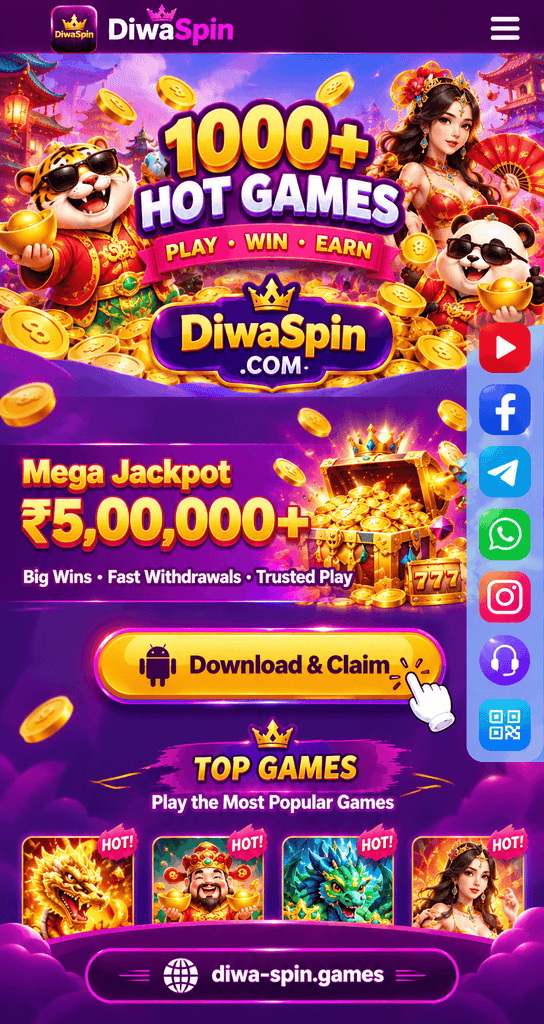
DIWA Spin APK Download – App Guide, Features, Login & Registration
Explore the DIWA Spin app, understand its main features, learn the installation process and review important account safety tips before getting started.
DOWNLOAD DIWA SPINCheck app compatibility, eligibility and official terms before installing.
1. What Is DIWA Spin?
DIWA Spin is the name used for a mobile app that users may look up when exploring app-based gaming and entertainment services. Before installing an application with this name, it is important to confirm that the download page, application package and publisher details match the service you intend to use.
A good first step is to review the app’s available information rather than relying only on promotional messages. Check which Android versions are supported, whether the installation file is compatible with your device and which permissions the app requests. These checks can help you make a more informed decision.
This DIWA Spin APK guide covers common installation steps, account access, interface considerations and basic online safety. Features and availability can vary by version, region and current operator policies.
2. DIWA Spin APK Download Information
Before Downloading the App
- Use the download page only after checking the publisher and destination.
- Confirm that your phone has sufficient storage space.
- Check the app version and Android compatibility information.
- Read the privacy policy, terms and eligibility requirements.
- Avoid files shared through unknown messages or suspicious pop-ups.
Android APK files may be distributed outside the Google Play Store. If the page asks you to install an APK manually, proceed only when you trust the source and have verified the file details. Do not ignore browser warnings or security alerts just to complete an installation.
3. Main Features to Explore
The exact features of DIWA Spin should be confirmed inside the current app and its official information pages. When reviewing the interface, pay attention to the following areas.
Look for clear menus, readable text and simple navigation between available sections.
Check the available sign-in options and whether account recovery instructions are provided.
Review the supported Android version and installation requirements before opening the app.
Understand what information is collected and how account data is handled.
Look for genuine support details and written guidance for resolving technical issues.
Read applicable restrictions, eligibility rules and any transaction conditions before use.
4. How to Install DIWA Spin APK on Android
If a verified Android APK is provided, use the following general installation procedure.
Installation Steps
- Open the verified download page using your mobile browser.
- Check the file name, version details and source before downloading.
- Wait until the download finishes completely.
- Open the downloaded file through your phone’s file manager.
- If Android requests permission to install unknown apps, allow it only for the trusted browser or file manager you are using and only if you have verified the source.
- Review the installation prompts and cancel if anything looks suspicious.
- After installation, review app permissions and disable access that is not needed.
If installation fails, check your available storage, Android compatibility and whether the file downloaded correctly. Remove an incomplete file and retry only from a verified source. Never disable your phone’s security protections permanently to install an unfamiliar application.
5. DIWA Spin Registration Guide
Registration options can change depending on the app version and region. If you decide to create an account, use only the registration process displayed by the verified service.
- Open the application after checking its authenticity.
- Find the official Sign Up or Register option, if available.
- Enter only the information required by the service.
- Complete verification through the method shown in the app.
- Read the applicable terms and privacy notice before submitting.
- Keep your login details private and store recovery information securely.
Never share an OTP, password or account recovery code with another person. Be cautious of individuals promising guaranteed rewards or asking for extra payments to activate an account.
6. DIWA Spin Login Guide
Returning users should use the login screen provided by the verified application. Enter the correct registered details and follow any security verification prompts.
Login Troubleshooting
- Incorrect details: Carefully check your username and password.
- Verification issue: Confirm your contact details and follow the official recovery steps.
- App not opening: Check your internet connection and restart the application.
- Older version: Check for a verified update from the legitimate source.
- Account access problem: Contact the service through its verified support channel.
Avoid repeated login attempts if the app displays a security warning. Use the official recovery process instead of sharing account information with unofficial support agents.
7. App Security and Privacy Checklist
Security deserves attention whenever an application is downloaded manually. Before using DIWA Spin, review its permissions and the way it handles personal information.
- Download only after verifying the destination and publisher.
- Keep Android and your mobile security software updated.
- Use a unique password if the service requires an account.
- Do not install additional files suggested by unknown pop-ups.
- Review payment terms carefully if any financial features are offered.
- Never assume that a bonus, payout or reward is guaranteed.
- Stop if the app requests unnecessary access to contacts, messages or other sensitive data.
Promotional claims should not replace independent checks. If the publisher, app permissions or terms cannot be verified, consider avoiding installation.
8. Common DIWA Spin APK Problems
Check the connection, available storage and browser download list. Retry only from a trusted page.
Check device compatibility and Android security settings. Do not bypass warnings for an unverified file.
Restart the device and check for a verified compatible version. Avoid unofficial modified APKs.
Verify your details and follow the service’s official account recovery procedure.
9. Frequently Asked Questions About DIWA Spin
DIWA Spin APK refers to an Android installation package associated with an app using the DIWA Spin name. Verify the publisher and current app details before installing.
Visit the download page linked in this guide, check its authenticity and follow the Android installation instructions if the file is verified.
Android availability and compatibility should be confirmed from the current verified download page and the app’s published requirements.
If registration is supported, open the verified application and follow its displayed sign-up instructions and eligibility rules.
Check your credentials, internet connection and verification details. Use the official recovery process if the problem continues.
Safety depends on the source and the file itself. Verify the publisher, inspect requested permissions and take Android security warnings seriously.
No reward should be assumed to be guaranteed. Check the current written terms, eligibility requirements and any restrictions before participating.
Not necessarily. Availability depends on the app’s supported Android version, device requirements and regional restrictions.
10. Final Words
DIWA Spin users should begin by checking the app’s authenticity, installation requirements and available account information. A careful installation process, strong account security and a clear understanding of the service’s terms can help reduce avoidable problems.
This guide provides general information and does not independently verify the app’s operator, features, rewards or security. Confirm all important details through reliable sources before deciding whether to use the application.
Responsible use: 18+ only where legally permitted. Follow local laws and the service’s eligibility rules. Never risk money you cannot afford to lose, and do not treat gaming or rewards as a source of guaranteed income.